

Why your website is slow. Diagnosis and fix
Causes of slow page loads: TTFB, uncompressed images, render-blocking CSS/JS, missing cache, slow hosting. Diagnostic tools and concrete fixes.
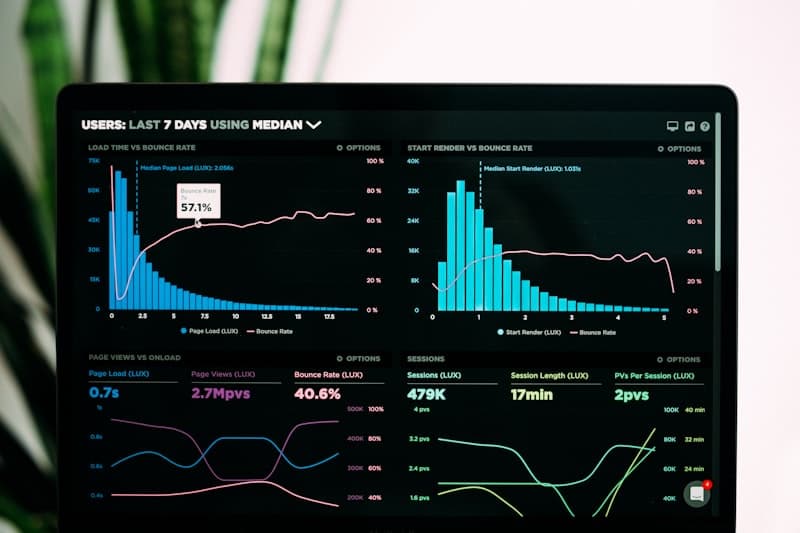
53% of users abandon a page if it takes longer than 3 seconds to load. Every additional second drops conversion by 7%. Google has factored page speed into rankings since 2021 (Core Web Vitals). A slow site is not a technical problem — it is a business problem.
Start by measuring
Before you fix anything, measure. Do not guess — the data will tell you exactly what the problem is:
- PageSpeed Insights: Core Web Vitals score and concrete recommendations
- GTmetrix: waterfall chart, TTFB, load time
- Chrome DevTools, Network tab: what loads, how long it takes, in which order
Key metrics:
| Metric | Good | Needs improvement | Poor |
|---|---|---|---|
| LCP (Largest Contentful Paint) | < 2.5s | 2.5-4s | > 4s |
| FID (First Input Delay) | < 100ms | 100-300ms | > 300ms |
| CLS (Cumulative Layout Shift) | < 0.1 | 0.1-0.25 | > 0.25 |
| TTFB (Time To First Byte) | < 200ms | 200-600ms | > 600ms |
1. Slow TTFB — a server-side problem
TTFB (Time To First Byte) is the time from sending a request to receiving the first byte of the response. If TTFB exceeds 500ms, the problem is on the server, not on the front end.
Causes:
- Cheap shared hosting (hundreds of sites on one server)
- Slow database (no indexes, bloated
wp_optionstable) - No OPcache (PHP recompiles code on every request)
- No page cache (WordPress builds the HTML from scratch on every visit)
Fixes:
- Move to faster hosting (NVMe SSD, dedicated resources)
- Optimise the database:
wp db optimize, remove autoloaded options - Enable OPcache in php.ini
- Install a cache (WP Super Cache, W3 Total Cache, LiteSpeed Cache)
2. Uncompressed images
A photograph straight from a camera weighs 3-5 MB. A page with 10 such photos forces the user to download 50 MB. On mobile LTE that means 10-15 seconds just to load the images.
Fixes:
- WebP or AVIF format (50-70% smaller than JPEG)
- Lazy loading:
loading="lazy"on<img>tags - Right-sized images: do not serve a 4000 px wide file in a 400 px slot
- A CDN for media (Cloudflare, BunnyCDN)
# Convert to WebP (cwebp)
cwebp -q 80 input.jpg -o output.webp

# Bulk conversion
find uploads/ -name "*.jpg" -exec cwebp -q 80 {} -o {}.webp \;
WordPress: the ShortPixel or Imagify plugins convert images automatically on upload.
3. Render-blocking CSS and JavaScript
CSS and JS files in <head> block page rendering. The browser has to download and parse them before it can display anything.
Diagnosis: PageSpeed Insights, "Eliminate render-blocking resources" section.
Fixes:
- Inline critical CSS in
<head>, load the rest asynchronously - Use
deferorasyncon JavaScript - Remove unused styles and scripts
<!-- Instead of -->
<link rel="stylesheet" href="style.css">

<!-- Non-blocking -->
<link rel="preload" href="style.css" as="style" onload="this.rel='stylesheet'">
4. Too many plugins
Every WordPress plugin adds:
- PHP files (executed on every request)
- CSS and JS files (loaded on the front end)
- Database queries
30 plugins potentially mean 30 CSS files, 30 JS files and 50+ SQL queries per page view.
Recommendation: Run an audit. For each plugin, ask: "does the site work without it?". Deactivate, test, remove the unnecessary ones. Keep 10-15 that you really need.
# List plugins with their DB query counts (Query Monitor)
wp plugin install query-monitor --activate
5. No cache
Without a cache, WordPress on every visit:
- Receives the HTTP request
- Boots PHP
- Runs 20-100 SQL queries
- Builds the HTML
- Returns the response
With a cache: the server returns a ready-made HTML file. The difference: from 2 seconds down to 50 milliseconds.
Cache layers:
- Page cache: pre-built HTML (WP Super Cache, LiteSpeed Cache)
- Object cache: DB query results in memory (Redis, Memcached)
- OPcache: compiled PHP bytecode
- CDN: static files closer to the user
6. A heavy theme or page builder
Elementor, WPBakery and Divi generate a sprawling DOM. A simple page with a heading and three paragraphs can end up with 500+ HTML elements and 200KB of inline CSS.
Alternatives:
- Lightweight themes: GeneratePress, Kadence, Astra
- The Gutenberg block editor (built in, no extra code)
- A bespoke theme (the fastest option, but you need a developer)
Priority summary
| Priority | Action | Impact |
|---|---|---|
| 1 | Page cache | The biggest single performance jump |
| 2 | Image optimisation (WebP + lazy load) | Drastic reduction in transfer |
| 3 | Move to faster hosting (if TTFB > 500ms) | Solves the problem at its source |
| 4 | Plugin audit | Fewer DB queries and JS/CSS files |
| 5 | Critical CSS + deferred JS | Faster first render |